

While working on a unique tenant-to-tenant migration, we were going to be synchronizing a significant number of identities that had already been hybrid moved to a tenant from an on-premises Exchange organization.
Since they had existing values in msExchMailboxGuid, there was a likelihood that they might not be synchronized as just user identities–even though they were set with the msExchRecipientDisplayType of 6 (RemoteMailUser) and msExchRecipientTypeDetails of 128 (MailUser). For a full list of Exchange recipient values, see this blog post.
To prevent that from derailing our plans, I decided to put a rule in to prevent the msExchangeMailboxGuid from synchronizing to the new tenant (or wiping out any value that had already been sent in error).
- Launch Synchronization Rules Editor.
- Under Direction, select Inbound and then click Add rule.
- Enter a Name for the rule and a Description.
- Populate the following values:
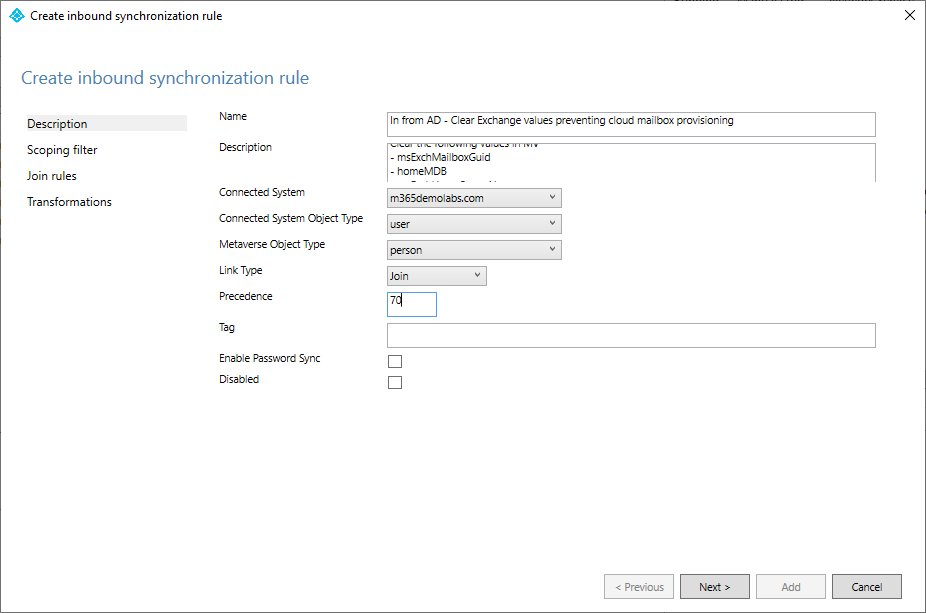
- Connected System: On-premises AD
- CS Object Type: User
- MV Object Type: person
- Link Type: Join
- Precedence: lower than 100 (where the default rules start)
- Click Next.
- Configure a scoping filter if necessary and click Next.
- Do not configure any join rules. Click Next.
- Click Add transformation.
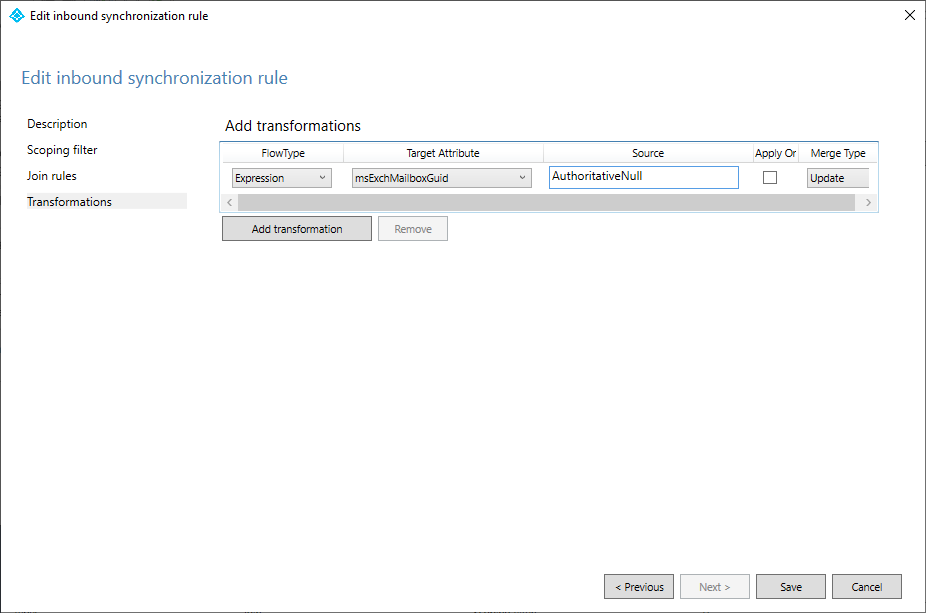
- FlowType: Expression
- Target Attribute: msExchMailboxGuid
- Source: AuthoritativeNull
- Apply Once: [unchecked]
- Merge Type: Update
- Click Save/Add.
After a successful full synchronization, identities will be configured as MailUsers and can be successfully licensed (and mailbox-enabled) for a smooth tenant-to-tenant experience.