
Before we go too far, I just want my disdain for the Microsoft Graph cmdlets to be known.
With that out of the way, finding the required permission scopes for and command can be frustrating. And, to make matters more difficult, the Find-MgGraphCommand cmdlet returns all valid scopes, not limited or broken into a least privilege model (read vs write).
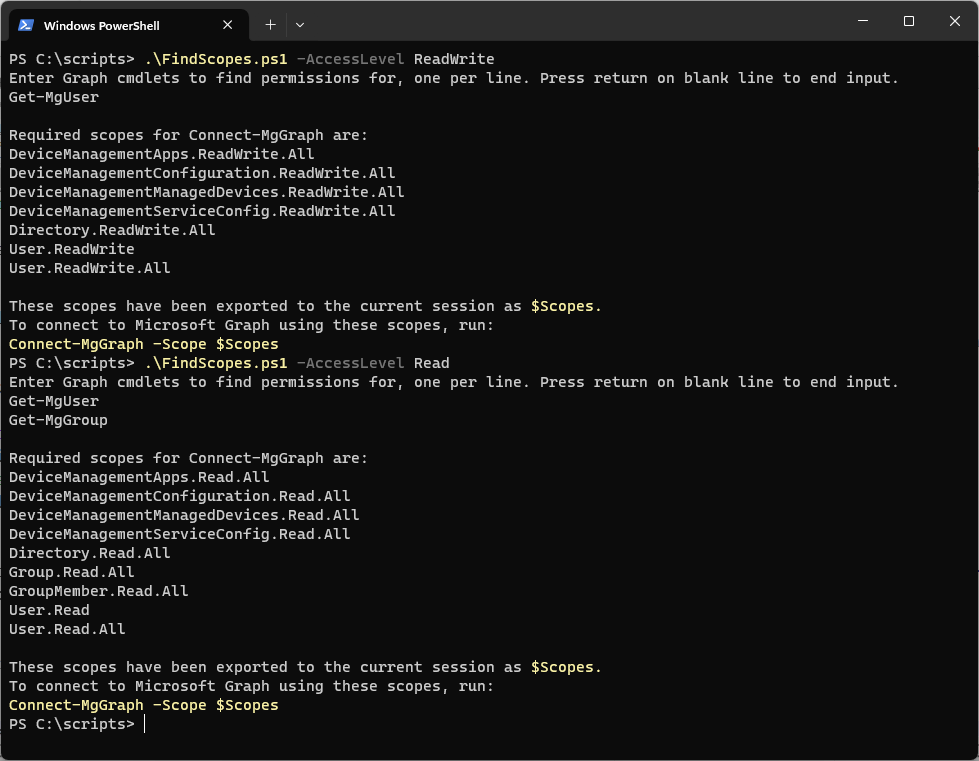
To help ease that burden, you can use this script that I’ve put together. You can add as many cmdlets as you want, one per line, to find all of the required scopes for your Graph PowerShell session.
# Find permissions for multiple Microsoft Graph cmdlets

param(
[ValidateSet("Read","ReadWrite")][string]$AccessLevel = "ReadWrite"
)

[System.Collections.ArrayList]$commands = @()

Write-Host "Enter Graph cmdlets to find permissions for, one per line. Press return on blank line to end input."

While ($True)
  {
  Read-Host | Set line
  If ($line.Length -ge 1) { $commands.Add($line) | Out-Null }
  If (!$line) {break}
  }

$Global:Scopes = (@($Commands) | Find-MgGraphCommand).Permissions.Name | Sort-Object -Unique
Switch ($AccessLevel)
{
     "Read" { $Scopes = $Scopes -match "Read$|Read\.\w*$|ReadB\w*$"}
     "ReadWrite" { $Scopes = $Scopes -match "write" }
}

If ($Scopes.Count -ge 1)
{
     Write-Host "Required scopes for Connect-MgGraph are:"
     $Scopes

     Write-Host ""
     Write-Host "These scopes have been exported to the current session as " -NoNewLine
     Write-Host -ForegroundColor Yellow "`$Scopes."
     Write-Host "To connect to Microsoft Graph using these scopes, run:"
     Write-Host -ForeGroundColor Yellow "Connect-MgGraph -Scope `$Scopes"
}
else
{
     Write-Host "No cmdlets specified or no required scopes found."
}
You can use the parameter -AccessLevel to help filter on Read or Write permission scopes.