

After getting my new Windows 11 device out of the box, I installed the Microsoft 365 apps suite and was off to the races. Or so I thought.
It would appear that Outlook didn’t register itself as a the default mail protocol handler (mailto: hyperlinks), so every time I click on a mail link, I get prompted to configure Windows Mail.
Ugh.
So, here’s how you can fix it.
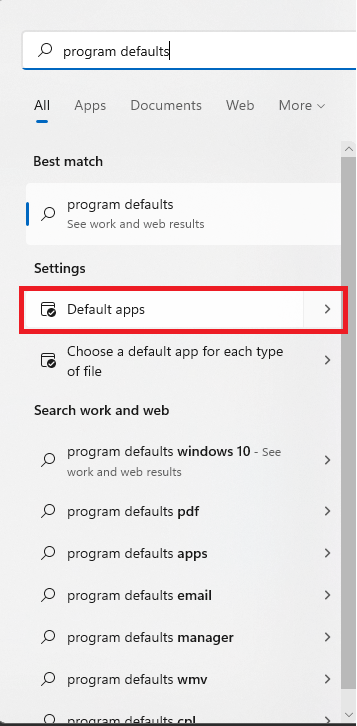
- Click Start and search for Default apps. We’ve changed the name a few times (previously calling it Program defaults, for example, which you can still use to search with successfully)). Under Settings, select Default apps.
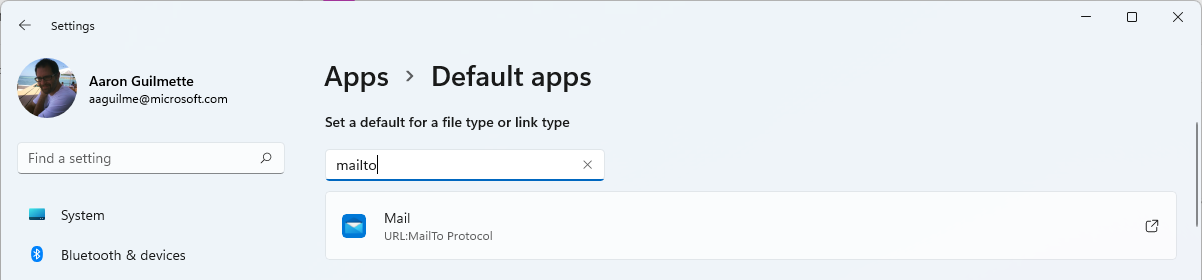
- In the search box, enter
mailtoand select the URL:MailTo Protocol option.
- Select Outlook from under the Other options section.
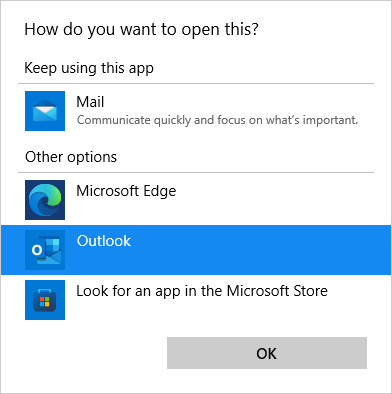
- Click OK.
Woo! Now, you can make your favorite (or configured) mail app your default app.