Apologies for the delay–but with the advent of Operator Connect and a few other new features, we wanted to make sure we brought you the most up-to-date desk reference for configuring Microsoft Teams. We’ve also included a great flow chart on the number porting process, which we think will be really helpful to organizations starting up with cloud voice!… [ Continue reading ]
Update to AAD Connect Communications Test
Greetings!
While working with a new customer this week, I was reviewing the Azure AD Connect prerequisites, and it turns out we have updated the prereq list as well made some information public about what the installation wizard checks for.
As such, I have updated the tool.… [ Continue reading ]
Launch Microsoft Edge with a specific window size
Recently, while working on a book, I needed to take screenshots. I was moving across multiple devices and working with other authors on this project, so it was important that all screenshots be taken from the same window size.
As long as you close all of your Edge browser windows, you can fire up a new instance with command line parameters that will configure it for you.… [ Continue reading ]
Configuring Viva Connections in Teams – A Quickstart Guide
For folks who want to get started on bringing your intranet into Teams, here’s a quick take on configuring Viva Connections, including screenshots, tips, and the ever popular “what happens to the end users” question answered.
Buckle up.
Introduction
Viva Connections, from our marketing material, is “a desktop and mobile experience that brings together relevant news, conversations, and resources in one place for your organization.”… [ Continue reading ]
MS-900 2nd Edition Exam Prep book teaser
Seeing as how we’re just a few days away from the launch of another title, I wanted to release a teaser chapter for our updated and upcoming MS-900: Microsoft 365 Certified Fundamentals exam prep guide.

This was another great team effort with Yura Lee, Marcos Zanre, and the entire Packt publishing team (Romy Dias, Aamir Ahmed, Prachi Sawant, Vaidehi Sawant, and Shazeen Iqbal). … [ Continue reading ]
Quick-and-dirty Catch-All Mailbox for GCC Channel Meeting Invitations
It’s well-known that our Government Community Cloud instance of Office 365 doesn’t support emailing a channel. This can be problematic when you are attempting to schedule a channel meeting and include recipients not on the platform. What ends up happening is the recipient can actually receive an NDR (because they can’t send the meeting acceptance back to the channel).… [ Continue reading ]
Update to AADConnect Network Communications Test
Hey!
It’s been a while since I’ve updated this tool. One of my peers, Didier Akakpo, pointed out that we have a new endpoint to add for Self-Service Password Reset Writeback.
As such, I’ve updated the tool to include this endpoint under $OptionalResources for Commercial and GCC-Moderate tenants.… [ Continue reading ]
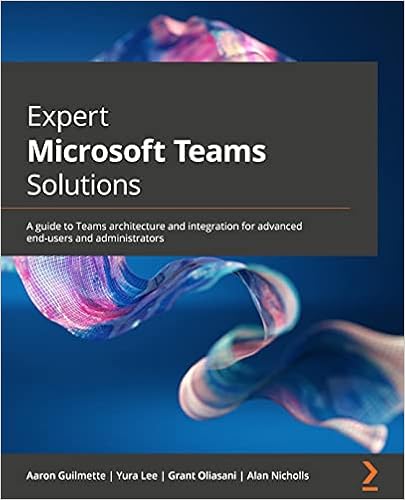
Expert Microsoft Teams Solutions available for pre-order
At long last, I’m pretty excited to announce this labor of love with some of my peers / teammates:

We’re still finalizing a few things (so a few chapter titles/headings may change), but here’s the top level outline:
| Chapter | Title | Topics |
|---|---|---|
| 1 | Teams Overview | Azure AD architecture Organization and user interface Instant messaging, chat, and presence Calendaring Mobile Devices |
| 2 | Approvals | Creating and responding to approvals Administration of the Approvals app |
| 3 | Task Management | Planner, To Do, and the Tasks App |
| 4 | Bookings | Creating and managing a booking calendar Integration with other apps and services |
| 5 | Meetings | Scheduled, Ad-hoc, and Channel meetings Meeting features (including transcription, recording, webinars, break-out rooms, and registration) Meeting options Audio conferencing |
| 6 | Meeting Room | Licensing and configuring Meeting Rooms Room scheduling Meeting room devices |
| 7 | Live Events | Scheduling live events Presenting and sharing content and invitations External meeting production |
| 8 | Teams app development | Building and publishing apps in Teams |
| 9 | Workflow integration | Connecting Power Automate to Teams, including posts and notifications |
| 10 | Power Virtual Agents | Creating and publishing chat bots |
| 11 | Phone System | Terminology, including calling plans, communication credits, conferencing, and emergency policies Calling features Licensing |
| 12 | Cloud Phone System Architecture | Cloud-only and direct-routing configurations Implementing phone system features, including E911, creating and assigning phone numbers, policies (call park, calling, caller ID, emergency) Configuring outbound calling |
| 13 | Microsoft Teams devices | Working with phones, Teams rooms, collaboration bars, and Teams displays |
| 14 | Planning and adoption | The Microsoft Teams adoption framework |
| 15 | Governance | Identity and authentcation Compliance (including retention and information barriers) Lifecycle management (including provisioning and access packages |
| 16 | Integration with Exchange Hybrid | Enabling and configuring hybrid connectivity between Teams and Exchange |
| 17 | Security and Data Protection | Conditional Access, Data Loss Prevention |
| 18 | Reporting | Call Quality Dashboard, Call detail reports, User-based call reports, Live events, Teams usage |
You can go pre-order it here: https://www.amazon.com/gp/product/B09DDV1WR6… [ Continue reading ]
Content pulled back from the memory hole
I decided to go for a walk down nostalgia lane–while I love to talk about new stuff that we’re doing here at Microsoft, I also like to reminisce about the earlier times in my career–especially when I first started tech blogging.… [ Continue reading ]
Tern around: Concise PowerShell Ternary Operators
I’m writing this down because…

I will forget it.
I was reviewing someone else’s code that was largely full of common if/then statements and then stumbled across a solitary instance of a ternary statement.
It took me a while to decipher since the ternary evaluation happened as an argument for a cmdlet–definitely limiting its readability. … [ Continue reading ]
Update to Find-DuplicateValues script
Hey! As we enter the waning days of summer, I wanted to update a tool that I’ve had sitting around for a while.
Years ago, when I was in Microsoft Consulting Services, I ran into one particular customer that had manually populated the mail property of thousands of service accounts, groups, vendor accounts, and contacts–not with the object or user’s individual email address, but with the email address of the person who managed the AD object. … [ Continue reading ]
Update: AAD Connect Test Tool Updated
We’ve updated our baseline requirements for deploying AAD Connect, so I’ve updated the AAD Connect Network Communications Test to reflect those changes.
Key changes:
- We now allow you to configure AAD Connect using the Hybrid Identity Administrator role, so the tool now checks for it.
A Deep(er) Dive into Teams Architecture
While working on my current book, I was thinking about a deeper exploration of how Microsoft Teams handles permissions and content. One of our Sr. Customer Engineers has a fantastic (and very expansive) diagram of the moving pieces, which I’ve adapted to fit here.… [ Continue reading ]
Configuring “employeeId” with Set-AzureADUser
While working on a project for a customer, I noticed that the didn’t have a way to correlate “uniqueness” between guest identities that they create and a source of authority system. I wanted to explore using the employeeId attribute in Azure AD as a way to set this data.… [ Continue reading ]
Keep calm and SendAs a Proxy Address
I’m gonna channel the great Etta James:
Ok, I’m back.
I’ve been waiting for this feature for what seems like an eternity–the ability for a mailbox that has multiple proxy addresses to send from any of those addresses.
Background
As most of you probably know, a mailbox can have a whole lot of additional SMTP addresses associated with it (a mailbox can have up to 400 proxy addresses stamped on it). … [ Continue reading ]