I was installing a new SharePoint Server 2019 farm and after applying all updates and configuring the SharePoint Products Wizard, I restarted my servers a final time and logged on, only to find that I couldn’t access the SharePoint Products Wizard anymore.… [ Continue reading ]
MS-900 Exam Guide is Here!

It sure has been a busy month!  I’m still churning away on new content, but we did get this out the door: The Microsoft 365 Fundamentals MS-900 Exam guide!  MS-900 is an entry level exam designed to show mastery of core cloud and Microsoft 365 technologies concepts.… [ Continue reading ]
The MS-300 Exam Prep Guide LIVES!

After several months of hard work, the team at Packt has brought this book to life! The requisite shout-outs include:
Thanks to everyone who was patient with me and supported me along the way with pizza, tacos, good vibes, and positive feedback. … [ Continue reading ]
Flashback to what it took to do math in DOS batch files
While working on a script for an upcoming project, I wanted to test for the presence of various Office versions, including 32-bit and 64-bit components before initiating setup. Here’s one way I found:
@ECHO OFF SET CURRLOCATION32="C:\Program Files (x86)\Microsoft Office\root\Office16" SET CURRLOCATION64="C:\Program Files\Microsoft Office\root\Office16" SET PREV1LOCATION32="C:\Program Files (x86)\Microsoft Office\root\Office15" SET PREV1LOCATION64="C:\Program Files\Microsoft Office\root\Office15" SET PREV2LOCATION32="C:\Program Files (x86)\Microsoft Office\root\Office14" SET PREV2LOCATION64="C:\Program Files\Microsoft Office\root\Office14" REM Check for 64-bit versions IF EXIST ""%CURRLOCATION64%\MANIFEST.XML""… [ Continue reading ]
Update: AAD Connect Network Communications Test
A new year, a new test!
While troubleshooting a few installation and update issues, I noticed that the endpoints list was a smidgen out of date, so I’ve updated that. For this update, I attached Fiddler (http://www.telerik.com/Fiddler) to my system and performed the install, checking for new endpoints, and then merged it with updates from the public IP/URL list.… [ Continue reading ]
Pre-order the MS-900 Exam Guide now!
Surprise! I have another book! It’s available for pre-order on Amazon now.

This is gonna be a busy year for me. This time, I’m collaborating with two of my peers:
Together, we’re putting together the MS-900 exam guide, chock full of things you wish you would have known the first time you took the it. … [ Continue reading ]
Export Credential Manager to PowerShell
If you ever find yourself in a sticky wicket and need to extract usernames and passwords from Credential Manager (usually because you forgot them), you can use this handy-dandy little function from PowerShell:
function ExportCredMan
{
# Dump local passwords from credential manager
[void][Windows.Security.Credentials.PasswordVault,… [ Continue reading ] Pre-order the MS-300 Exam Guide Now!
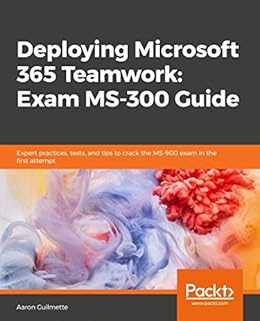
Hey, everyone! I know I’ve been quiet for the last few weeks, but not without good cause. I’ve been furiously making edits and checking them twice for my newest book, “Deploying Microsoft 365 Teamwork: Exam MS-300 Guide.”
You can pre-order it at Amazon or on the Packt website. … [ Continue reading ]
Add Posh Test Gallery to add Microsoft Teams Test PowerShell Module
As luck would have it, I had to get the newest version of the Microsoft Teams PowerShell module. It’s still a test module and not available in the main PSGallery. So, I had to poke around and figure out how to add it and get the version that supports Get-TeamChannelUser.… [ Continue reading ]
Resolved: SharePoint Online web site does not support SharePoint Online credentials
This afternoon, while working on my upcoming book for the MS-300 exam, I was attempting to sign into SharePoint Online via PowerShell and encountered this moderately cryptic message:
Cannot contact web site 'https://tenant-admin.sharepoint.com/' or the web site does not support SharePoint Online credentials.… [ Continue reading ]
Finding mis-licensed shared users in Office 365
Just a quickie post this holiday week.
Many customers have had Exchange on-premises forever. Back in the olden days, we just had user mailboxes. Need a shared team mailbox? You get a user mailbox. Need a conference room mailbox? You get a user mailbox.… [ Continue reading ]
Update to Basic PowerShell Website Scraper
While twirling my luscious locks and thinking of ways to input data for my haveibeenpwned-based query tool, I thought to myself, “self, how cool would it be to just generate a list of hyper-linked email addresses from a public website?”
Having already put together a pretty basic PowerShell scraper, I decided this wouldn’t be terribly hard. … [ Continue reading ]
Update to PwnCheck – HaveIBeenPwned Query Tool
I got caught up in doing this, and now it’s 3:45AM. C’est la vie! My loss of sleep is your threat analysis gain.
I’ve made several updates to the PwnCheck tool (used to query the HaveIBeenPwned.com database).
Here they are, in no particular order!… [ Continue reading ]
Creating an Array with Headers and Columns from a string using [PSCustomObject]
Today, I was updating a script I wrote a while ago, and I wanted to streamline the processing loops once input was received. This particular script took parameters for:
- Identity (as an email address or UserPrincipalName)
- CSV (with either no header or a header of UserPrincipalName)
- Target environment type (either Active Directory or Office 365/Azure AD, which return a UserPrincipalName property with Get-ADUser or Get-AzureADUser)
I had gone the “easy” route and just done a simple If/Then to see if the Identity parameter had been passed, and if it had, run a separate chunk of code (which made troubleshooting or updates much harder since I had to keep two branches of the code synced when I made updates).… [ Continue reading ]
Decrypting Credentials Stored in Remote Desktop Connection Manager (RDCMan) .rdg
Today, while logging into a Windows Server via my favorite RDP tool (RDCMan), I was faced with the “Your password has expired” prompt. No worries, just enter my password and change it.
Except for the part where the password has been saved and I neglected to add it to my password manager.… [ Continue reading ]