

One of my devices came with the frustrating “Killer Networking” package from Intel. The only thing it kills is performance, causing noticeable delays in accessing SharePoint Online sites or other properties where round-trip time between your device and the target host is important.
Background
For anyone who isn’t familiar with the Killer Networking suite, it’s basically Intel’s attempt at providing some level of quality-of-service (QoS) for traffic. Most of the community, however, agrees that it’s a “does more harm than good” product.
And, at some point, after you try to remove components of it, you start seeing amazing startup dialog boxes like this:
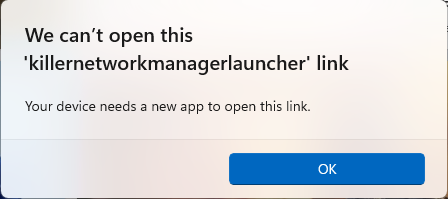
Ugh.
Removal
You’re here. And help is on the way.
- Launch an elevated PowerShell prompt.
- Copy/paste the following into the prompt (or save it as a .ps1 and execute it in the elevated prompt):
$RivetPackages = @('KillerControlCenter','Killer','RivetNetworks')
Foreach ($package in $RivetPackages)
     {
          Get-AppxPackage $package -ErrorAction SilentlyContinue | Remove-AppxPackage -ErrorAction SilentlyContinue
          Get-AppxPackage $package -AllUsers -ErrorAction SilentlyContinue | Remove-AppxPackage -ErrorAction SilentlyContinue
     }
$task = Get-ScheduledTask -TaskName "Killer Startup Task" -ErrorAction SilentlyContinue
If ($task) { Unregister-ScheduledTask -TaskName "Killer Startup Task" -Confirm:$false }